Crypto Transaction Confirmed but Your Balance Is Not Showing
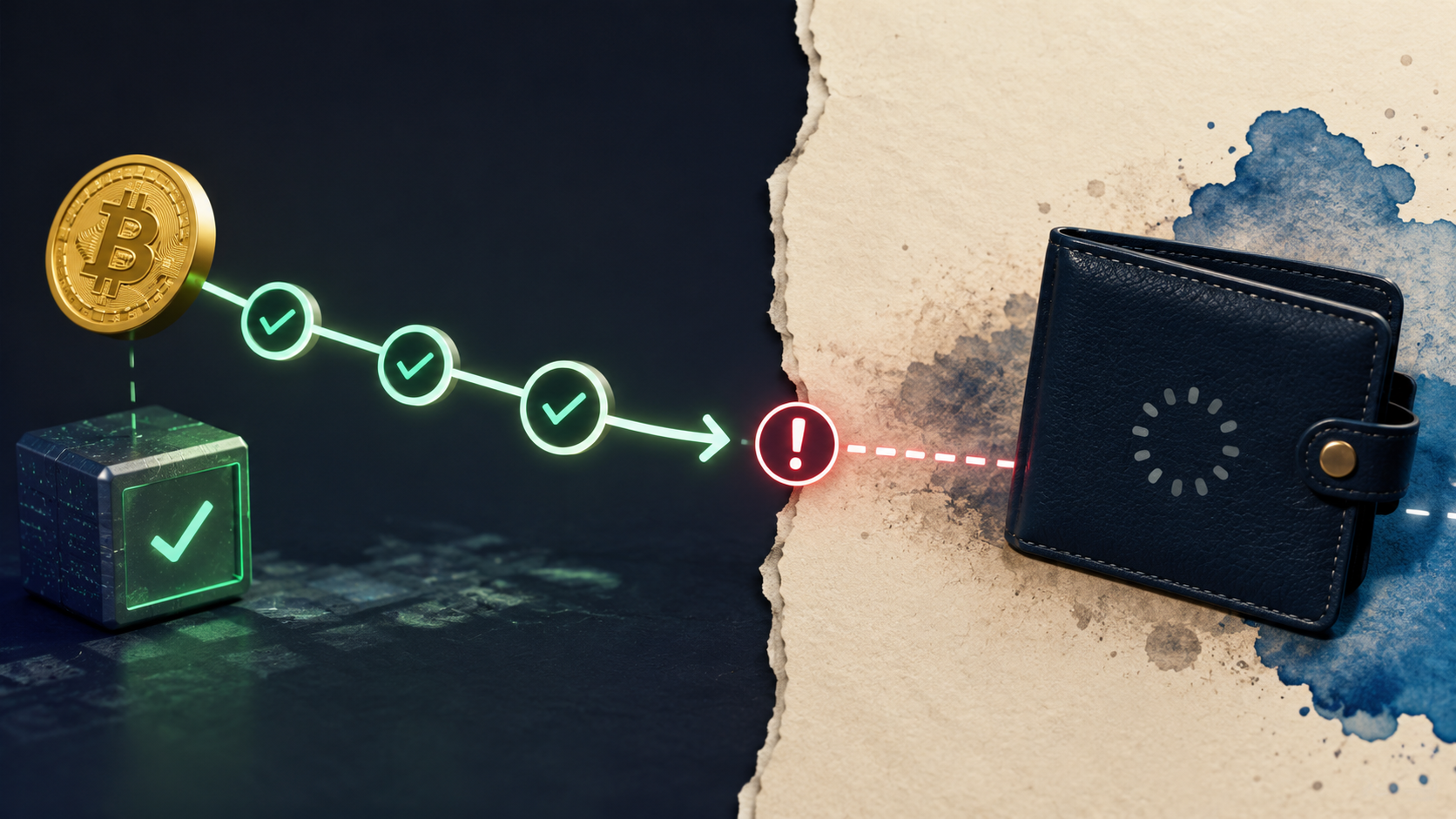
- Crypto transfer can show as confirmed on the blockchain while the receiving account still has no balance update
- A block explorer and transaction hash can help verify the crypto transfer details, including the network, amount, address and confirmation status
- If the crypto transfer is confirmed but the balance remains unchanged, the receiving platform may need to process the transfer
Crypto transactions can be tricky to deal with. A blockchain is responsible for managing thousands of crypto transactions each minute. This process is deeply intertwined, and sometimes may post a faulty status despite processing a transaction successfully. A block explorer may sometimes show a crypto transfer as successful while the receiving account still shows no balance change. This may happen primarily because the explorer describes what the blockchain has recorded, while the account page describes what the receiving service has detected, matched, and displayed. A confirmed transaction therefore narrows the problem without necessarily completing the diagnosis. The next question is not simply whether the transfer was sent. It is which stage has finished, what evidence proves that, and which stages still remain. This guide will help explore how to troubleshoot the crypto transaction confirmed error while seeing one’s balance.
Also Read: SK Hynix IPO Was 7 Times Oversubscribed as Even Top Investors Got Fewer Shares
Simplifying Crypto Transfer: How It Works?
A 2026 Frontiers article describes a transaction moving through creation, broadcast, validation, collection into a candidate block, consensus, and addition to the shared ledger. This sequence explains why status labels can refer to different moments, which can be used for verifying one’s transaction status. “Broadcast” means the network has received the transaction. “Included” means it has entered a block. “Confirmed” means the network has supplied the level of confirmation shown by the relevant explorer.
For instance, If cryptocurrency was sent to Lucky Rebel, for instance, one may still need to check the platform’s own records to see the balance update. To do this, one has to log into the platform and view their wallet to do this. Once logged in, a user may see the amount of crypto that they have transferred which will automatically appear in their balance fairly soon after they initiated the deposit.
Even if the blockchain shows the transfer as confirmed, the balance in your casino wallet may take a little longer to update. This usually happens because the platform is currently reviewing the deposit initiated by a trader and may need to process it on its own end. This entire process may take a few minutes. Once the funds appear in your wallet, the platform has credited the deposit, and you can use the balance to play the games available on the site.
What the Explorer Can Prove
Before contacting the platform, it’s worth checking what happened on the blockchain first. If the transfer hasn’t gone through there, the funds won’t show up in the receiving account. This is where a block explorer helps. It lets you see where the transaction was sent, which network it used, and whether it has been confirmed. For this one may need to check the transaction hash for more detailed analysis. A transaction hash is a unique string of letters and numbers that act as a digital receipt. They also act as a verifiable tool for certain blockchains, helping deliver key insights. One can use it to check the receiving address, asset, network, amount, fee, block and transaction status. If the balance hasn’t changed, compare the receiving address carefully and make sure that you have sent the right asset over the right network.
Once those details match, you have confirmed what happened on-chain. But the explorer cannot tell you whether the receiving platform has found the transaction, linked it to your account or updated your balance. If the platform does not show the transfer, the issue may lie with the recipient. At this point, check the receiving platform for further updates.
Also Read: Starbucks Stock Goes ‘Nuts’ as AI Push Targets Microsoft, IBM and Oracle
Trace the Transfer in Six Stages
If a crypto transfer is not showing up in the receiving account, follow this step by step trajectory to troubleshoot efficiently.
- 1. Transaction created: Your wallet creates and signs the transfer.
- 2. Transaction sent: The transfer is broadcast to the blockchain network.
- 3. Transaction checked: The network verifies the transaction.
- 4. Transaction confirmed: The transfer is added to the blockchain and receives the required confirmations.
- 5. Recipient sees it: The receiving platform detects the transfer.
- 6. Balance updated: The platform links the transfer to your account and updates your balance.
Your wallet can show that the crypto transfer was sent. A block explorer can then show the destination address, amount, network and confirmation status.
If all of those details are correct, there may be no reason to keep checking the blockchain. The remaining issue may lie with the receiving platform, which still needs to detect the transfer and credit it to your account.
In simple terms, the blockchain can confirm that the crypto arrived at an address, while the receiving platform may still need to show it in your account.
Identify the Remaining Layer
The next step depends on where you sent the crypto transfer. A self-custody wallet and a hosted platform handle transactions differently.
- Self-custody wallet: Check that you are using the correct network and account. Make sure the token is supported and visible in the wallet.
- Hosted account: Check the transaction details and contact the platform if the balance has not updated. Keep the transaction hash, asset, network, amount, sending address, receiving address, timestamp, and confirmation status ready.
- Keep your private information safe: Never share your private key, seed phrase, password, or authentication code. You do not need any of these to verify a public blockchain transaction.
- When contacting support: Share screenshots only through the platform’s official support channel, and check that they do not reveal sensitive personal or account information.
In short, verify the public transaction first, then check the wallet or platform where you expected the crypto to appear.
Separate records are common in blockchain-based applications. A 2025 Springer Nature study of an electric-vehicle payment system describes off-chain state updates, final-state settlement, and on-chain confirmation as distinct operations. Blockchain payments often involve multiple records that update over time. For example, the blockchain may show a completed transaction while the recipient account or app has yet to update. In such a case, it would be better to rule out the crypto transfer/blockchain transactions as the sole problem. In this case, our best approach will be:
- Check that the blockchain transaction is confirmed ot not
- Find out where the process stops showing evidence
- Investigate the specific step related to that account record.
A confirmed blockchain transfer proves that the network recorded the transaction. However, it does not prove that the recipient has updated the account balance.
Also Read: TTD Stock Is Down 77% in Three Years as Wall Street Debates Whether It’s Finally Cheap